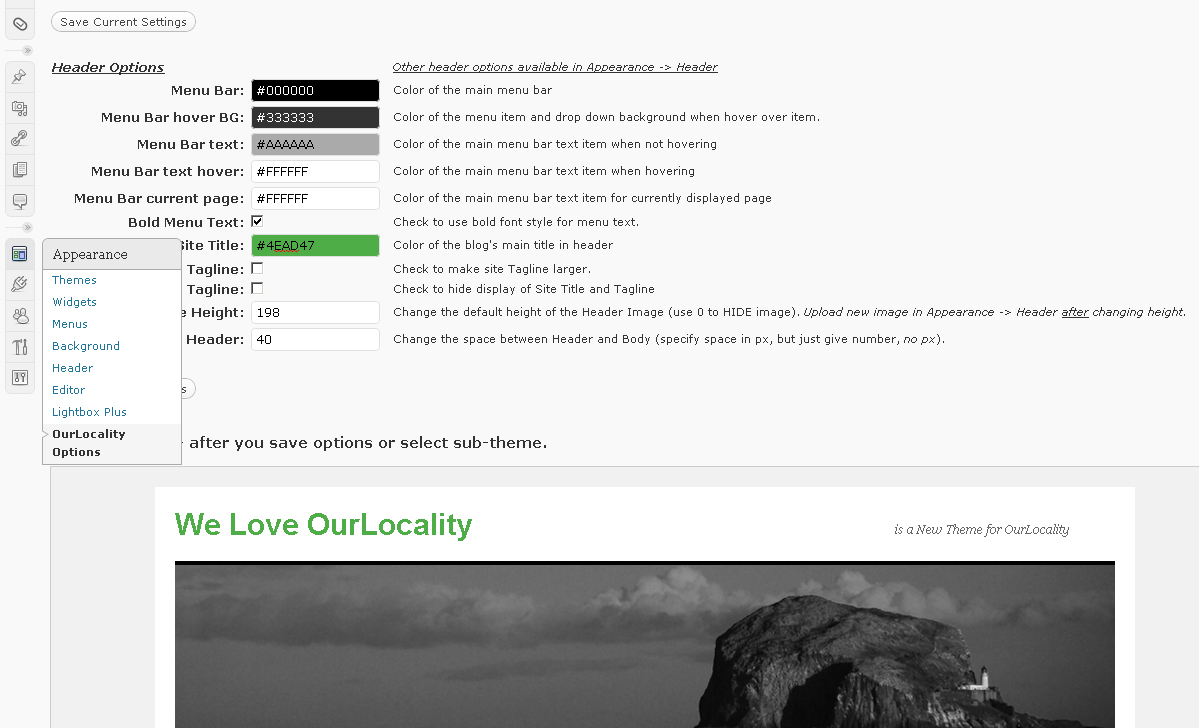
 In the dashboard under Appearance are 3 handy settings
Background (tip: select a complementary colour or it will look gash!)
Header (tip: if uploading your own image make sure it is the right size!)
OurLocality Options
Here you can change more things in the header (click the thumbnail for a preview), but don’t play with this until you’ve got a good idea what you want to do as it is easy to make it go ugly.

How does the comment look?
How does the default gravatar logo look? Not showing?