The Art of Readable, Impactful Design Typography is more than just choosing a pretty font—it’s a fundamental part of how your message is received. The right typography enhances readability, creates hierarchy, and sets the tone for your brand. Poor typography, on the other hand, can make your content feel unprofessional and difficult to engage with.…
Category: Updates
Before you make your site live (no one will find you unless they have the link otherwise) …

In our setup the default is to discourage search engines. This is to protect you from accidentally publishing your experimental doodles. In our experience many site owners can take many weeks, months, sometimes years to begin work and then finish their site. For your sanity we recommend you make sure you visit the settings page…
Add a widget in the footer or delete it

Widgets are blocks that appear outside the content area or a page or post. They include sidebars and footers and in some templates may include multiple positions in the header and above or below it. Footers are useful for boring but essential items like a reminder of the legals, privacy, poilcies, social links, basically the…
Adjust the menus or remove them entirely
Managing menus is fairly easy, but there are pitfalls due to the flexibility of the options available. You manage menus first by creating a collection or friendly handle/name for your menu. You may want to have a number of menus which you can swap around, perhaps you are doing a major revision to your site.…
Customise key aspects of your site or switch template
To open up the customizer, select from the top bar or Dashboard > Appearance > Customizer. The customizer provides a key route to modifying many of the website fundamentals, e.g.: Switch template Change colour scheme (template dependent) Change fonts and font styles (template dependent) Modify menus (you can do this also from the Dashboard >…
Switch your front page to any other page and enable a posts page
In the default WordPress setup the front page is set to a preset list of posts. Depending on the template you may get a grid of articles, a simple list or an embellished list, with featured images. Some people prefer a static page to a list of posts as this offers greater layout options –…
Create a new page or post (and the differences) and where it will appear
To create a page or a post you will need to be logged in – if you can see the black bar at the top of the screen you are logged in. From there choose New > Page. A static page has a title and an area for the content. You can configure various Page…
Make the placeholder content draft
While you can easily delete the placeholder content, you can also make it draft – to refer to later. Rather than deal with each post separately – you can do a bulk edit. Select the items to edit, select edit, click apply and then change the status to draft. Hit update and you are done.…
Jump Start
To jump start your website, just start writing. Your website is hidden from search engines at startup, so you are safe to experiment away. No one will see your edits until you make it live. Even if you are intent on making a single page website, you may need to work out how to: The…
Emotive fonts
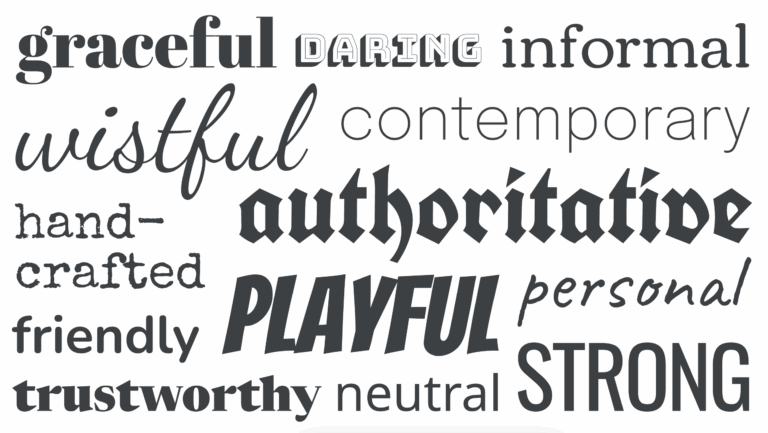
Choosing the right font for the job is pretty easy, scroll down the font list in your customizer until you find the one you like, no? Even professional designers in a hurry might do this, e.g. if doing a quick favour or job for next to no money or they know the client is doesn’t…